Amazon can be the biggest sales channel an online seller has, and the hardest one to account for. Sales come in from multiple marketplaces. Fees are taken at almost every stage, from referral fees to fulfilment, storage and advertising. Refunds, reimbursements and reserves move money backwards and forwards. Then, every couple of weeks, a single transfer arrives in your bank. However, the amount often looks very different from your total sales because Amazon has already deducted fees, refunds and other adjustments.
Many sellers, and some bookkeepers, deal with this by recording each Amazon deposit as sales. Although this method is quick, it can lead to incorrect revenue figures and unrecorded fees. As a result, your profit margins may become misleading. Furthermore, your tax figures may be inaccurate and difficult to justify during a review.
The answer lies in the Amazon settlement report. Once you understand how to read it, every Amazon payout can be broken down into its parts and recorded properly. This guide explains what settlement reports are, what each line means, why money is held back, how tax is handled across marketplaces, and how to reconcile each settlement step by step, with a worked example.
Accurate Xero eCommerce accounting helps Amazon sellers record sales, fees, refunds and payouts correctly.
What is the quick answer?
An Amazon payout is the net result of a settlement period: sales and shipping collected, minus Amazon fees, refunds, advertising and other charges, adjusted for reserves held back or released. To reconcile it, download the settlement report, record each category at its gross value through an Amazon clearing account, and match the final transfer to your bank deposit.
Key takeaways
- Amazon pays out per settlement period, usually around every two weeks, not per order.
- Each payout is a net figure after fees, refunds, advertising and reserves.
- The settlement report shows every line that makes up the payout.
- Reserves and deferred transactions are your money held back, and belong on the balance sheet.
- Tax collected and remitted by Amazon as marketplace facilitator must be treated differently from tax you collect yourself.
- Record each settlement through an Amazon clearing account, one per marketplace and currency.
What is an Amazon settlement report?
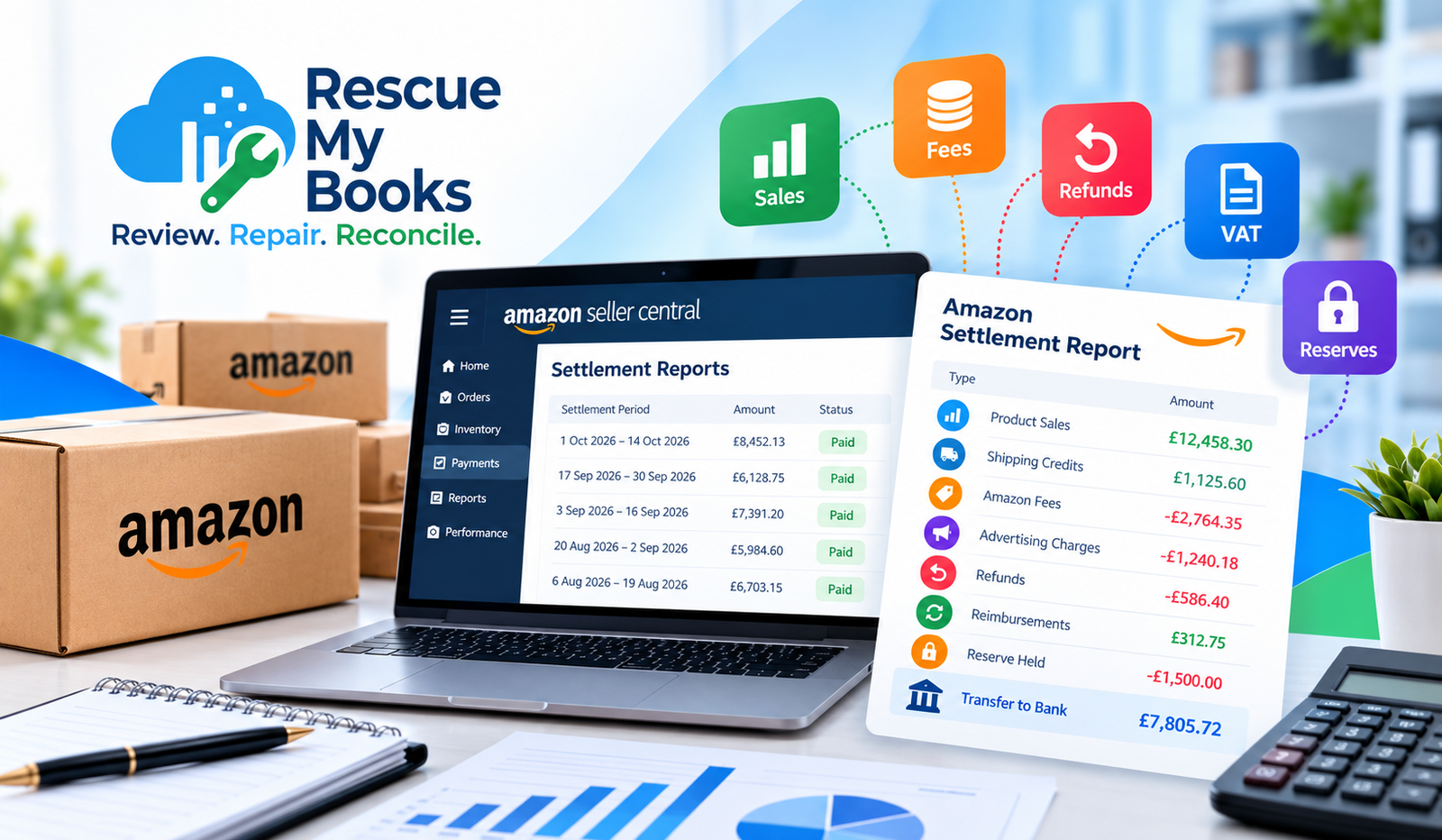
An Amazon settlement report is a statement from Seller Central that lists every transaction in a settlement period: orders, refunds, fees, advertising charges, reimbursements, reserves and the final transfer to your bank. It is the only document that fully explains why an Amazon payout differs from your sales, and it is the starting point for accurate Amazon accounting.
Settlement periods
Amazon groups your account activity into settlement periods, typically of around 14 days for many sellers. At the end of each period, Amazon calculates what it owes you and initiates a transfer, subject to any amounts it holds back. Some sellers can request payments more often, but the principle is the same: one settlement, one transfer.
Amazon settlement periods rarely begin on the first day of the month. As a result, a single settlement often covers transactions from two different accounting months. Therefore, the settlement totals may not match your monthly sales reports. This is why understanding settlement dates is important for accurate Amazon bookkeeping and financial reporting.
Where to find settlement reports
In Seller Central, settlement information is available in the payments area of the reports menu. You can view a summary of each settlement and download the detailed report as a flat file. Date range reports and transaction views are also available, but for reconciliation the settlement-based report is the most reliable, because it ties directly to a single bank transfer.
If you sell on several Amazon marketplaces, such as the UK, Germany, the US or the UAE, each marketplace or region can generate its own settlements, often in different currencies.
What is in a settlement report?
Settlement reports contain many line types. The names vary slightly by marketplace and change over time, but they fall into these broad groups:
| Line type | What it means | How to record it |
|---|---|---|
| Product sales (principal) | The item price paid by the customer | Sales income |
| Shipping credits | Shipping charged to the customer | Shipping income |
| Promotional rebates | Discounts and coupons you funded | Reduce sales or promotional costs |
| Tax collected | VAT, GST or sales tax on the order | Tax liability, or contra entry if Amazon remits it |
| Referral fees | Amazon’s commission on each sale | Selling fees expense |
| FBA fulfilment fees | Picking, packing and delivery by Amazon | Fulfilment costs |
| Storage fees | Monthly and long-term FBA storage | Storage costs |
| Inbound and placement fees | Charges for sending stock to Amazon | Inventory or fulfilment costs |
| Refunds | Money returned to customers | Reduce sales and tax |
| Reimbursements | Amazon paying you for lost or damaged stock | Other income or inventory adjustment |
| Advertising charges | Sponsored Products and other ads, if deducted | Advertising expense |
| Subscription fee | Professional seller plan | Software or subscription costs |
| Reserve held or released | Funds held back from this payout | Funds held by Amazon (asset) |
| Transfer | The amount sent to your bank | Transfer from clearing account to bank |
The total of every line in the settlement should equal the transfer amount. If it does not, part of the settlement is missing from your export.
Why does Amazon hold back part of my payout?
Amazon may hold back part of a payout through reserves and deferred transactions. For example, this can happen to cover possible refunds, A-to-z claims and chargebacks, or while Amazon waits for delivery confirmation. However, the held money still belongs to your business. Therefore, you should record it as an asset under funds held by Amazon rather than treating it as an expense. Once Amazon releases the funds in a later settlement, you can transfer the amount back into your Amazon clearing account. As a result, your accounting records will accurately reflect both the held funds and the money received.
Account level reserve
Amazon may keep a reserve in your seller account so it can cover refunds and claims that arrive after a payout. The reserve appears in the settlement as an amount held back, and the previous reserve appears as an amount released. The net effect on your payout can be positive or negative from one settlement to the next.
New sellers, sellers with higher claim rates and sellers whose account health changes often see larger reserves. The size of the reserve can change without any change in sales, which is one reason payouts fluctuate.
Deferred transactions
In some marketplaces, Amazon holds payments for orders until a set period after delivery. Amazon records these amounts as deferred transactions and releases the funds once the orders meet the required conditions. These are not lost sales. You have already made the sales, but Amazon has not yet paid you.
How to record reserves
The cleanest approach is to post reserves held to an asset account called something like “Funds held by Amazon”, and post reserves released back out of it. The balance on that account should then match the total Amazon is currently holding. Check it against Seller Central at month end.
What you should never do is treat a reserve as an expense or ignore it. If you do, your Amazon income will look lower in one period and higher in another, and you will have no record of money Amazon owes you.
Negative balances
If refunds, fees or reserves exceed your sales in a settlement, the balance can go negative. Amazon may then carry the negative balance forward or charge your card on file. Record these charges through the Amazon clearing account, not as a separate expense, so the settlement still reconciles.
How should Amazon sales tax and VAT be recorded?
It depends on who is responsible for the tax. Where you collect and remit VAT, GST or sales tax, record it as a liability. Where Amazon acts as marketplace facilitator or deemed supplier and remits the tax itself, the tax collected is offset by an equal amount withheld, so it is not your income or your liability. Your settlement report shows both.
Marketplace facilitator rules
Many jurisdictions now make large marketplaces responsible for collecting and paying tax on certain sales. Examples include most US states for sales tax, and certain UK and EU sales where Amazon is treated as the deemed supplier for VAT, such as some sales by overseas sellers or low-value imports.
In these cases, the settlement report shows tax collected from the customer and an equal amount withheld by Amazon. If you record the tax collected as part of your sales, revenue will be overstated. If you record it as your liability, you may appear to owe tax that Amazon has already paid.
Where you remain responsible
For many sales, particularly by sellers established in the country of sale, you remain responsible for charging and reporting the tax. In the UK, for example, a UK-established VAT-registered seller usually accounts for VAT on Amazon UK sales themselves. That VAT must be recorded as output tax and reported on your return.
Tax rules vary significantly by country and change regularly. Always confirm your position with a tax adviser in each country where you sell.
Selling on multiple marketplaces
If you sell on Amazon in several countries, treat each marketplace as a separate channel:
- A separate clearing account for each marketplace and currency
- Separate sales accounts or tracking categories to report revenue by marketplace
- Exchange rates recorded at the time of each settlement
- Currency conversion fees, if Amazon converts funds, recorded as an expense
This structure lets you see which marketplaces are genuinely profitable once fees and currency costs are included, and keeps each country’s tax reporting clean.
How do you reconcile an Amazon settlement step by step?
To reconcile an Amazon settlement, download the settlement report, total each line type, record sales, shipping, tax, refunds, fees, advertising and reserves through an Amazon clearing account, and match the transfer to your bank deposit. When the clearing account returns to zero for that settlement, it is reconciled. Repeat for every settlement and marketplace.
- Download the settlement report for the settlement period from Seller Central, along with the matching bank statement.
- Check the totals. Confirm the sum of all lines equals the transfer amount shown for the settlement.
- Summarise by category. Group lines into sales, shipping, promotions, tax, refunds, each fee type, advertising, reimbursements, reserves and other adjustments.
- Split by accounting period if needed. If a settlement spans two months, decide whether to split it by transaction date or record it in the month it closes. Apply the same rule every time.
- Post one journal per settlement through the Amazon clearing account, using the categories above.
- Record reserves to the funds held by Amazon account.
- Match the transfer in your bank feed to the Amazon clearing account.
- Review the clearing and reserve balances at month end against Seller Central.
Worked example: one Amazon UK settlement
Here is a simplified settlement for a UK VAT-registered FBA seller. Figures are illustrative and shown as they appear in the settlement, with VAT on sales separated.
| Settlement line | Amount (£) | Record to |
|---|---|---|
| Product sales (net of VAT) | 12,500 | Amazon UK sales |
| VAT on product sales | 2,500 | VAT liability |
| Shipping credits (net of VAT) | 500 | Shipping income |
| VAT on shipping | 100 | VAT liability |
| Promotional rebates (net of VAT) | -250 | Promotions / reduce sales |
| VAT on promotions | -50 | VAT liability |
| Refunds (net of VAT) | -750 | Refunds and returns |
| VAT on refunds | -150 | VAT liability |
| Referral fees | -2,100 | Amazon selling fees |
| FBA fulfilment fees | -2,800 | Fulfilment costs |
| Storage fees | -350 | Storage costs |
| Advertising | -1,200 | Advertising |
| Subscription fee | -25 | Subscriptions |
| Reserve held this settlement | -1,000 | Funds held by Amazon |
| Previous reserve released | 800 | Funds held by Amazon |
| Transfer to bank | 7,725 | Bank (matched from clearing) |
The customer-facing sales were £15,600, including VAT and shipping. The bank received £7,725. Without the settlement breakdown, the £7,875 difference would be a mystery. With it, every pound is explained: £6,475 of fees, advertising and subscription, £1,200 of refunds and promotions including VAT, and a £200 net increase in the reserve.
The correct net sales figure for this settlement is £12,000 (product sales and shipping, less promotions and refunds, all excluding VAT). Recording the £7,725 transfer as sales would understate revenue by more than a third and hide every Amazon cost.
Amazon fees are usually invoiced separately, and in some countries they carry VAT that may be recoverable. Check your Amazon fee invoices and confirm the treatment with your accountant.
Using a connector app
A2X and Link My Books are widely used to automate this process. They read each Amazon settlement and post a summarised journal to Xero or QuickBooks Online, split by category and, if needed, by accounting period. As with any automation, accurate mapping of accounts and tax rates is essential, and the first few settlements should be checked by hand.
What are the most common Amazon bookkeeping mistakes?
The most common Amazon bookkeeping mistakes are recording transfers as sales, ignoring reserves, mixing marketplaces and currencies, treating marketplace facilitator tax as income, missing fees charged outside settlements, and failing to record FBA reimbursements. Each one distorts profit and tax, and they get harder to fix the longer they are left.
For businesses struggling with these issues, our Amazon FBA Bookkeeping Rescue Service helps identify and correct errors, reconcile settlements, and restore accurate financial records.
Recording the transfer as sales
As the worked example shows, this can understate revenue by a third or more and hide every Amazon fee. It also makes it impossible to see your true margin by product or marketplace.
Ignoring reserves
If reserves are not recorded, your Amazon income swings up and down for no reason, and the money Amazon is holding never appears on your balance sheet.
Mixing marketplaces and currencies
Combining Amazon UK, EU and US activity in a single account, or in a single currency, creates exchange differences that cannot be traced and makes country-level tax reporting unreliable.
Treating facilitator tax as income
Where Amazon collects and remits tax, including it in sales overstates revenue. Where you remain responsible, leaving it out understates your tax liability. Both need the right treatment for each marketplace.
Missing charges outside settlements
Some charges, such as advertising or subscription fees, may be taken from your card rather than from settlements, depending on your account. These still need recording as Amazon costs, through whichever account actually paid them.
Forgetting reimbursements
When Amazon reimburses you for lost or damaged FBA stock, the reimbursement should be recorded, and your inventory records adjusted. Ignoring these leaves stock in your books that no longer exists.
When should you get help with Amazon accounting?
You should get help if Amazon transfers have been recorded as sales or if you are several settlements behind. In addition, professional support can be useful when you sell across multiple marketplaces or currencies. Similarly, you may need assistance if your tax returns depend on Amazon figures you cannot explain. Although catching up on settlements is achievable, it requires a consistent method. Therefore, reviewing each settlement carefully can help you correct errors and maintain accurate financial records.
Signs your Amazon books need rescuing include:
- Amazon deposits coded as “sales” or “transfers” with no breakdown
- No record of Amazon fees, advertising or storage costs
- A reserve or funds held account that does not exist or does not match Seller Central
- VAT or sales tax returns that do not reconcile to Amazon reports
- Profit that looks healthy in your accounts while cash is always tight
Frequently asked questions
Why doesn’t my Amazon payout match my sales?
Your payout is net of referral fees, FBA fees, storage, advertising, refunds, promotions and subscription charges, and is adjusted for reserves held or released. It also covers a settlement period that rarely matches a calendar month. The settlement report explains every difference.
How often does Amazon pay sellers?
Amazon typically pays at the end of each settlement period, often around every 14 days, though some sellers can request payments more frequently. Funds may also be held back by reserves or deferred until after delivery.
What is the Amazon account level reserve?
It is money Amazon holds back from your payout to cover possible refunds, claims and chargebacks. It remains your money and is released in later settlements. Record it as an asset, funds held by Amazon.
Should I record Amazon sales gross or net?
Gross. Record the full sales value, then record fees, refunds and other charges separately. Recording only the net transfer understates revenue and hides your costs of selling on Amazon.
How do I reconcile Amazon in Xero?
Create an Amazon clearing account for each marketplace and currency, post one summarised journal per settlement, record reserves in a funds held account, and match each transfer to your bank. Connector apps such as A2X or Link My Books can automate the journals.
Do I charge VAT on Amazon sales if Amazon collects it?
Where Amazon is the deemed supplier or marketplace facilitator, it accounts for the tax and you should not also report it as your liability. Where you remain responsible, you must account for it yourself. Rules vary by country, so confirm with a tax adviser.
Can I fix years of unreconciled Amazon settlements?
Yes. Seller Central keeps settlement reports that can be downloaded and processed one by one. A structured catch-up rebuilds each settlement through a clearing account until your records match Amazon’s.
The bottom line
Amazon settlement reports may look intimidating at first. However, they follow a clear logic. Each bank transfer reflects sales collected, fees and refunds deducted, and reserves held or released. Therefore, understanding these transactions is essential for accurate bookkeeping. By breaking down each settlement and recording it through a clearing account, you can correctly match your Amazon revenue, costs, tax and cash. As a result, your financial records become more accurate and easier to manage.
If your Amazon deposits have been recorded as sales or you are months behind on settlements, Rescue My Books can help you rebuild your Amazon records. This way, you can correct past errors and get your books back on track.