Shopify bookkeeping cleanup is important when your store’s financial records become messy, outdated, or inaccurate. Running a successful Shopify store takes time, dedication, and constant attention to customer satisfaction, marketing, inventory management, and fulfillment. With so many responsibilities competing for your attention, bookkeeping often becomes an afterthought. Unfortunately, when financial records are neglected, small accounting mistakes can quickly snowball into major problems.
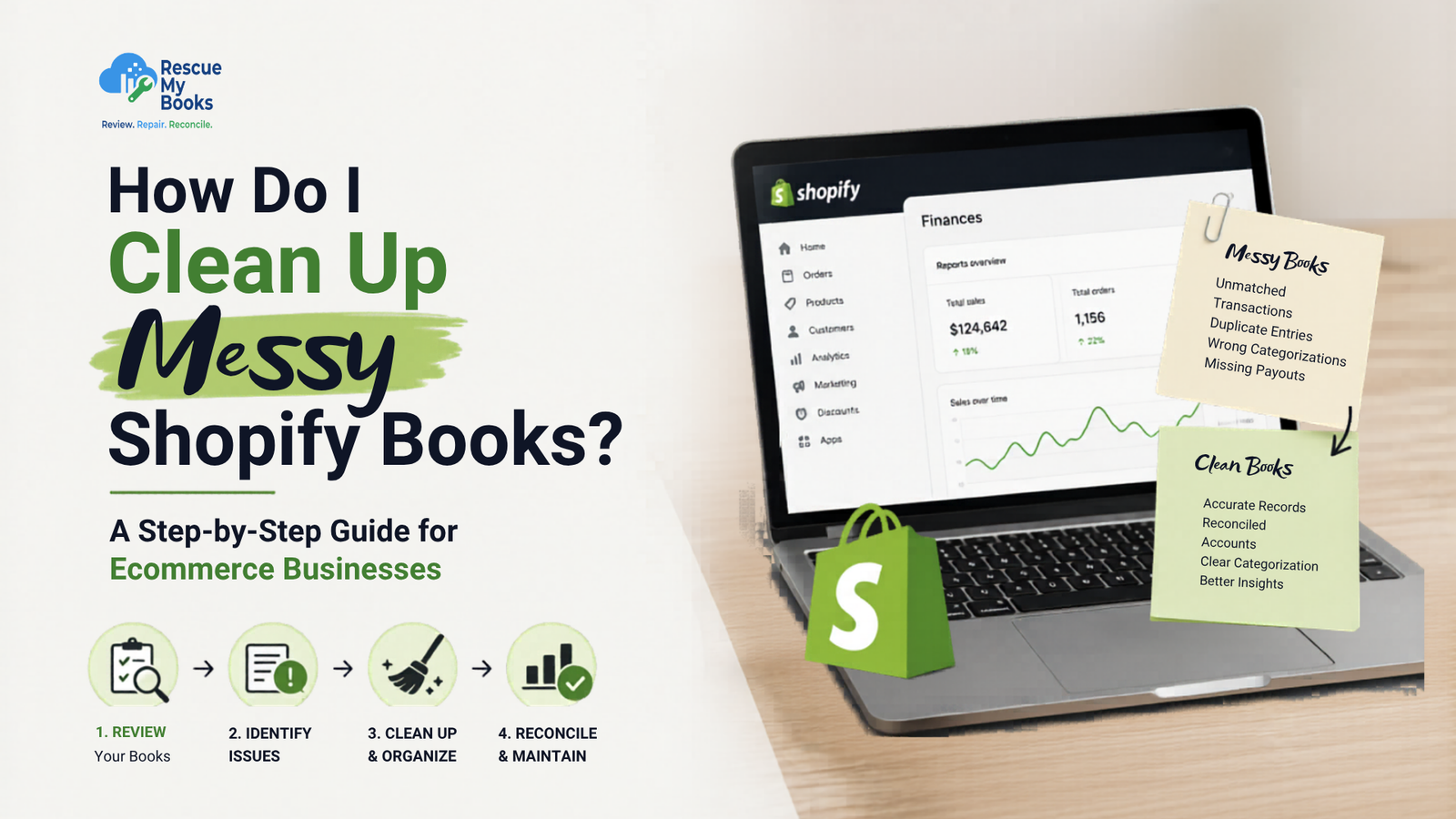
Many ecommerce business owners eventually find themselves asking, how do I clean up messy Shopify books after noticing discrepancies in their reports, unexplained differences in bank balances, or confusion during tax season. Shopify bookkeeping involves much more than simply recording sales. Every transaction includes payment processing fees, refunds, discounts, taxes, shipping income, inventory adjustments, and payouts that must be accounted for correctly.
The good news is that no matter how disorganized your books may seem, they can be cleaned up and corrected. With a systematic approach, you can identify errors, reconcile accounts, restore accurate financial reporting, and gain confidence in your business numbers again.
This comprehensive guide will walk you through the entire Shopify bookkeeping cleanup process and provide practical tips to help you maintain accurate records moving forward.
Why Accurate Shopify Bookkeeping Cleanup Matters
Before diving into the cleanup process, it is important to understand why accurate bookkeeping is essential for ecommerce businesses.
Clean books help you:
- Understand your true profitability
- Monitor cash flow effectively
- Make informed business decisions
- Prepare accurate tax filings
- Secure financing or investment
- Track inventory performance
- Identify unnecessary expenses
- Avoid penalties and compliance issues
Without accurate bookkeeping, you may be making decisions based on incorrect financial information, which can negatively impact growth and profitability.
Why Shopify Books Become Messy
Many Shopify businesses experience bookkeeping issues because ecommerce accounting is significantly different from traditional accounting.
Unlike a brick-and-mortar business that receives direct payments, Shopify transactions often involve multiple systems and payment processors. This complexity creates opportunities for errors.
Common causes include:
- Duplicate sales entries
- Missing Shopify payouts
- Incorrect tax settings
- Unrecorded payment processing fees
- Refunds posted incorrectly
- Inventory errors
- Multiple integrations posting the same transactions
- Unreconciled bank accounts
- Incorrect account mappings
- Manual data entry mistakes
- Missing historical transactions
- Poor bookkeeping processes
Even small mistakes can create large discrepancies over time, making financial reports unreliable.
The Risks of Ignoring Messy Shopify Books
Some business owners postpone bookkeeping cleanup because they believe it can wait until tax season. Unfortunately, delaying the process often makes the problem worse.
Ignoring bookkeeping issues can lead to:
- Overpaying taxes
- Underpaying taxes and facing penalties
- Cash flow problems
- Inaccurate profit reporting
- Difficulty obtaining loans
- Poor inventory management
- Missed growth opportunities
- Increased accounting costs later
The sooner you address bookkeeping issues, the easier and less expensive they are to fix.
Signs Your Shopify Books Need Cleaning Up
Before starting a Shopify bookkeeping cleanup, look for these warning signs:
- Profit figures seem unusually high or low
- Bank balances do not match accounting records
- Shopify sales reports differ from accounting software reports
- Large unreconciled transactions appear every month
- Tax reports contain unexpected figures
- Inventory values look incorrect
- Payment processor balances do not make sense
- Financial reports change unexpectedly
- You cannot explain differences between reports
- Your accountant frequently requests corrections
If you notice any of these issues, it is time to investigate further.
Create a Backup Before Making Changes
Before making any corrections, create backups of your accounting records.
This precaution allows you to:
- Restore previous data if needed
- Compare corrected reports against original reports
- Track changes made during cleanup
- Reduce the risk of accidental data loss
Always save copies of:
- Shopify reports
- Bank statements
- Accounting software reports
- Tax filings
- Inventory reports
Having a backup provides peace of mind throughout the cleanup process.
Step 1: Review Your Shopify Integrations
The first step in answering the question, how do I clean up messy Shopify books, is checking how data enters your accounting software.
Many businesses connect Shopify to:
- Xero
- QuickBooks Online
- Zoho Books
- NetSuite
- A2X
- Link My Books
- Webgility
Problems often occur when more than one integration posts the same transactions.
Review all connected applications and verify:
- Which app imports sales
- Which app imports payouts
- Which app imports fees
- Which app imports taxes
- Whether duplicate integrations exist
Removing duplicate data sources prevents new errors from being created.
Step 2: Compare Shopify Sales Reports
Next, download your Shopify sales reports.
Review:
- Total sales
- Discounts
- Shipping income
- Refunds
- Taxes collected
- Gift card sales
- Store credits
Compare these figures with your accounting software.
If sales totals do not match, identify:
- Missing transactions
- Duplicate transactions
- Incorrect account mappings
- Posting date errors
This step forms the foundation of an accurate Shopify bookkeeping cleanup.
Step 3: Reconcile Shopify Payouts
One of the biggest causes of Shopify accounting errors involves payouts.
Navigate to:
Shopify Admin → Finances → Payouts
For each payout, review:
- Gross sales
- Refunds
- Chargebacks
- Processing fees
- Adjustments
- Net payout amount
Then compare the net payout with your bank statement.
The deposited amount should match exactly.
When payouts do not match, investigate differences before moving forward.
Understanding Shopify Clearing Accounts
Many accounting systems use a Shopify clearing account to temporarily hold transactions before payouts are deposited.
A clearing account should:
- Receive sales transactions
- Record fees and refunds
- Clear when payouts are deposited
If the clearing account balance continues growing month after month, it usually indicates bookkeeping errors that require investigation.
Review this account carefully during your cleanup process.
Step 4: Record Payment Processing Fees Correctly
Many Shopify store owners forget to record payment processor fees.
This creates overstated profit figures and inaccurate expense reporting.
Review fees from:
- Shopify Payments
- PayPal
- Stripe
- Klarna
- Afterpay
- Amazon Pay
- Shop Pay Installments
Ensure fees are posted to the correct expense account.
A complete Shopify bookkeeping cleanup must account for every fee deducted before funds reach your bank account.
Step 5: Review Refunds and Returns
Refunds are another common source of bookkeeping problems.
Many businesses simply reduce bank deposits without recording the actual refund transaction.
Review:
- Full refunds
- Partial refunds
- Product returns
- Shipping refunds
- Exchange transactions
- Store credits
Verify that refunds reduce revenue appropriately and are reflected in customer records.
Accurate refund tracking improves reporting and tax compliance.
Step 6: Check Sales Tax or VAT Settings
Tax errors can create significant problems during filing periods.
Review your Shopify tax settings and compare them with your accounting software.
Verify:
- Tax rates
- Tax codes
- Tax collected
- Tax liability accounts
- Nexus settings
- VAT registrations
If taxes are mapped incorrectly, financial reports may be misleading.
This is a critical part of learning how do I clean up messy Shopify books effectively.
Step 7: Review Inventory Records
Inventory mistakes can affect both your balance sheet and profit calculations.
Compare:
- Shopify inventory reports
- Inventory management systems
- Accounting software inventory balances
- Warehouse reports
Check for:
- Negative inventory
- Missing stock adjustments
- Incorrect cost values
- Duplicate products
- Inventory write-offs
- Damaged stock adjustments
Correct inventory records help ensure accurate gross profit reporting.
Step 8: Reconcile Every Bank Account
Bank reconciliation helps identify missing transactions and posting errors.
Review all accounts connected to your Shopify business:
- Business bank accounts
- PayPal accounts
- Stripe balances
- Shopify clearing accounts
- Credit card accounts
- Savings accounts
Match every transaction against accounting records.
Investigate any unreconciled differences immediately.
Step 9: Review Other Sales Channels
Many Shopify businesses sell through multiple platforms.
If your business also sells on:
- Amazon
- Etsy
- Walmart Marketplace
- eBay
- TikTok Shop
- Facebook Shop
Ensure transactions from these channels are recorded correctly.
Multiple sales channels often create duplicate entries or missing transactions if integrations are not configured properly.
Step 10: Clean Up Historical Transactions
Trying to fix several years of bookkeeping at once can feel overwhelming.
Instead, work month by month.
For each month:
- Verify sales totals
- Match payouts
- Record fees
- Confirm refunds
- Reconcile bank accounts
- Review inventory adjustments
- Verify tax liabilities
This structured approach reduces errors and improves accuracy.
Step 11: Review Accounts Receivable and Accounts Payable
Although many Shopify stores receive payment immediately, some businesses still maintain receivable and payable balances.
Review:
Accounts Receivable
Check for:
- Old unpaid invoices
- Duplicate customer balances
- Incorrect credits
Accounts Payable
Verify:
- Supplier invoices
- Outstanding bills
- Duplicate expenses
Cleaning these accounts improves balance sheet accuracy.
Step 12: Review Your Financial Reports
After completing your Shopify bookkeeping cleanup, review:
Profit and Loss Report
Confirm:
- Revenue is accurate
- Expenses are complete
- Profit margins make sense
- Refunds are reflected correctly
Balance Sheet
Verify:
- Bank balances match statements
- Inventory balances are correct
- Tax liabilities appear reasonable
- Clearing accounts reconcile properly
Cash Flow Statement
Review:
- Operating cash flow
- Financing activities
- Investing activities
Sales Reports
Compare final accounting figures with Shopify reports.
Any remaining differences should be investigated before closing the period.
Establish a Monthly Bookkeeping Routine
Once your books are cleaned up, create a routine to prevent future problems.
Monthly tasks should include:
- Reconciling bank accounts
- Reviewing Shopify payouts
- Recording fees
- Checking refunds
- Reviewing inventory
- Verifying tax liabilities
- Running financial reports
Consistent bookkeeping prevents small issues from becoming major problems.
Common Shopify Bookkeeping Mistakes to Avoid
After cleaning your books, avoid these common mistakes:
- Using multiple integrations for the same data
- Ignoring processing fees
- Skipping monthly reconciliations
- Recording payouts as sales
- Forgetting refunds
- Failing to review tax mappings
- Delaying bookkeeping for several months
- Ignoring inventory discrepancies
- Not reviewing clearing accounts
- Relying solely on automation
Regular reviews help maintain accurate records.
Tools That Can Help Simplify Shopify Bookkeeping
Several tools can streamline ecommerce accounting and reduce manual work.
Popular options include:
- QuickBooks Online
- Xero
- A2X
- Link My Books
- Synder
- Dext
- Hubdoc
These tools can automate transaction imports, improve reconciliation accuracy, and reduce bookkeeping errors.
Should You Clean Up Shopify Books Yourself?
Many small businesses can handle basic bookkeeping corrections.
However, professional support may be beneficial if:
- Books have not been reconciled for several years
- Large transaction volumes exist
- Multiple sales channels are involved
- Tax discrepancies have been identified
- Inventory records are inaccurate
- You lack accounting experience
- Historical cleanup is extensive
Experienced ecommerce bookkeeping specialists can identify issues faster and reduce costly mistakes.
Benefits of Hiring a Shopify Bookkeeping Expert
Working with an ecommerce bookkeeping professional offers several advantages:
- Faster cleanup process
- Improved accuracy
- Better tax compliance
- Reduced stress
- More reliable financial reporting
- Ongoing bookkeeping support
- Strategic financial insights
Professional assistance can save significant time while helping you avoid expensive accounting mistakes.
Final Thoughts
If you have been wondering how do I clean up messy Shopify books, the process starts with identifying the source of discrepancies and correcting them systematically.
Review integrations, reconcile payouts, verify taxes, record fees properly, review inventory, and reconcile bank accounts regularly. Taking these steps will improve financial visibility and help you make better business decisions.
Remember that bookkeeping cleanup is not just about fixing past mistakes. It is also about creating reliable financial systems that support future growth. Accurate books provide the foundation for smarter decisions, stronger cash flow management, and long-term ecommerce success.
The sooner bookkeeping issues are addressed, the easier they are to fix. Regular monthly reviews can prevent small errors from becoming major accounting problems.
If you’re looking to prevent future bookkeeping issues, make sure your accounting software is connected correctly. Learn more about Shopify integration best practices and discover how the right setup can automate your bookkeeping and improve financial accuracy.
Ready to Get Your Shopify Books Back on Track?
Cleaning up messy Shopify books can be time-consuming, especially when dealing with months or years of unreconciled transactions, inventory discrepancies, tax issues, and multiple sales channels. Instead of spending valuable time trying to untangle complex accounting records, let ecommerce bookkeeping experts handle the process for you.
At Switch My Books, we specialize in Shopify bookkeeping cleanup, reconciliation, and ongoing ecommerce accounting support. Our team can help you:
- Identify and correct bookkeeping errors
- Reconcile Shopify payouts and payment processors
- Clean up historical transactions
- Fix inventory and tax reporting issues
- Generate accurate financial reports you can trust
- Maintain clean books moving forward
- Improve bookkeeping processes and workflows
- Support multi-channel ecommerce accounting
Whether your books are a few months behind or need a complete overhaul, we can help you regain confidence in your financial data.
Contact Switch My Books today for a free consultation and discover how our Shopify bookkeeping experts can save you time, reduce stress, and help your ecommerce business grow with accurate financial reporting.